
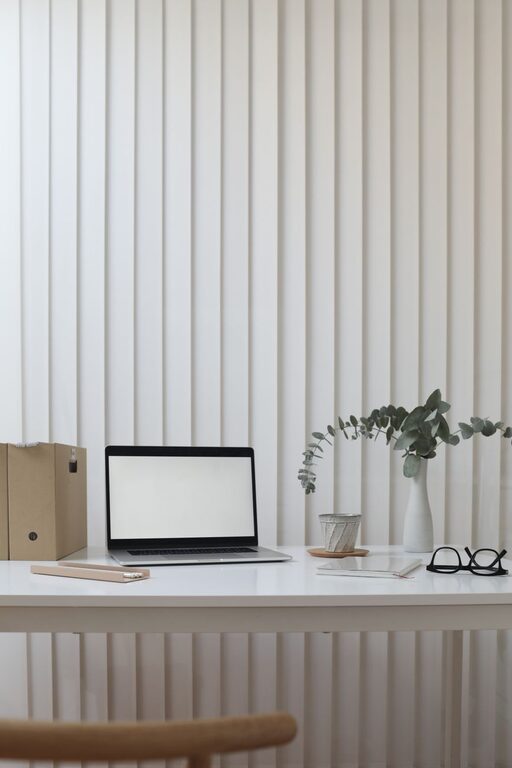
A workspace does not need a full makeover to feel fresh again. In just ten minutes, you can clear away distractions, improve your setup, and create a more comfortable place to work.
This quick reset is useful at the start of the day, between tasks, or at the end of your workday. The goal is not perfection. It is to make a few small changes that help your workspace feel cleaner, calmer, and easier to use.
Why a Ten-Minute Refresh Works
Small amounts of clutter can make a workspace feel crowded. Items you no longer need may take up valuable room, while tangled cables, empty cups, and scattered papers can make it harder to focus.
A short refresh works because it gives you a clear limit. You do not need to sort every drawer or reorganize your entire room. Instead, you focus on the areas that affect your work most:
– The surface in front of you
– The chair and surrounding floor
– Your computer and accessories
– The items you use every day
Set a timer for ten minutes and work through the steps below. When the timer ends, stop and enjoy the improvement.
Minute 1: Remove Everything That Does Not Belong
Start by scanning the main surface of your workspace. Pick up anything that does not belong there and place it in one temporary pile or basket.
This might include:
– Empty cups or dishes
– Receipts and old notes
– Packaging
– Books you are not using
– Unrelated personal items
– Cables or devices you no longer need today
Do not spend time deciding where every item belongs. The first goal is simply to clear your main working area. You can return items later if necessary.
If you work at a shared table, keep your cleaning focused on your own section. A small, clearly defined area can still make a noticeable difference.
Minutes 2–3: Clear and Wipe the Main Surface
Once unnecessary items are out of the way, give the surface a quick wipe. Use a suitable cloth and cleaning product for the material. If you have a computer or other electronics nearby, keep moisture away from openings and screens.
Pay attention to areas that collect dust and crumbs, including:
– Around the keyboard
– Under the monitor
– Near the edges of the desk
– Beside a notebook or mouse
– Around frequently used accessories
A clean surface can make the whole workspace look more organized. It also gives you room to arrange your essential items with more intention.
Minutes 4–5: Reset Your Essential Items
Now return only the items you expect to use during your next work session. Think about what supports your current task rather than what usually sits on your desk.
For example, you might keep:
– Your computer
– A notebook and pen
– A water bottle
– Headphones
– One reference book
– A small desk lamp
Place frequently used items within easy reach. Items you use less often can go in a drawer, on a nearby shelf, or in a storage box.
Try to leave some open space. An empty section of the desk gives you room to write, review papers, or simply move comfortably. You do not need to fill every available area.
Minute 6: Tidy the Cables
Loose cables can make a clean workspace look messy again. Gather the cords for your computer, charger, monitor, and other devices. Separate the cables you use regularly from those that can be stored elsewhere.
Use simple solutions such as:
– Velcro ties
– Reusable cable clips
– A small box for spare chargers
– Labels for similar cords
– A cable tray or organizer
Avoid pulling cables tightly or bending them sharply. The goal is to keep them neat while allowing enough room for safe use.
If you have several unused cords, place them together in a labeled container. This makes them easier to find later and keeps them from spreading across your workspace.
Minute 7: Improve Your Screen and Lighting
Your screen and lighting have a major effect on how comfortable your workspace feels. Adjust your monitor so it is easy to view without leaning forward. If you use more than one screen, arrange them so you can move your eyes naturally between them.
Next, check the light around your workspace. Reduce glare by changing the angle of your screen or moving a lamp. If the area feels dim, add a nearby light source or open a curtain when appropriate.
Keep bright lights from shining directly into your eyes or reflecting off the screen. A small adjustment can make the space feel more comfortable right away.
Minute 8: Reset Your Chair and Position
Your chair is part of your workspace, so include it in the refresh. Move it into the correct position and remove anything sitting on the seat or underneath it.
Check that:
– Your feet can rest comfortably on the floor
– Your screen is at a practical viewing height
– Your arms can rest naturally while typing
– Your chair is not blocking a walkway
– Your back has reasonable support
You do not need to create a perfect setup in one minute. Simply notice what feels awkward and make one or two useful adjustments.
Minute 9: Choose One Small Personal Touch
A workspace should be practical, but it can also feel welcoming. Add one small item that makes you enjoy using the space.
Consider:
– A small plant
– A favorite photograph
– A simple calendar
– A calming piece of artwork
– A useful desk tray
– A notebook with an appealing cover
Keep this step intentional. One or two meaningful items can add warmth, while too many decorations may create more visual clutter.
Minute 10: Prepare for Your Next Task
Use the final minute to make a simple plan. Place the materials for your next task where you can see them. Close unrelated tabs, move distracting items out of reach, and write down the first action you need to take.
Your first step should be specific and easy to begin. For example:
– Open the document you need to edit
– Review the first item on your task list
– Write the opening paragraph
– Gather the notes for your meeting
– Reply to one important message
This final step connects your clean workspace to your next activity. Instead of resetting the area and then wondering what to do, you finish with a clear starting point.
A Simple Daily Workspace Habit
A ten-minute refresh is most effective when it becomes a regular habit. You can do it once a day or several times a week, depending on how quickly your workspace becomes cluttered.
Try one of these routines:
Start-of-Day Refresh
Spend ten minutes preparing your space before beginning work. Remove yesterday’s clutter, fill your water bottle, and place today’s most important materials nearby.
End-of-Day Reset
Use the final ten minutes of your workday to clear the surface, organize cables, and prepare for tomorrow. This can make the next morning feel easier.
Between-Task Reset
When switching from one type of work to another, clear away the previous task’s materials. A quick reset helps create a visible break and gives the next activity its own space.
Keep the Results Going
After your ten-minute refresh, protect the clean space with a few simple rules:
– Return items after using them
– Keep food and drinks in one designated area
– Store spare supplies instead of leaving them out
– Review papers before adding them to a pile
– End each workday with a quick surface check
Your workspace does not need to stay perfectly tidy all day. Normal work creates some clutter. The aim is to make it easy to restore order without starting from scratch.
Ten minutes is enough to create a noticeable change. By clearing distractions, improving comfort, and preparing for your next task, you can make your workspace feel fresh and ready for the work ahead.